
Print Arrangements and Controls
Hard Copy Page Arrangements - Printing
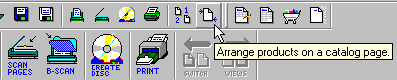
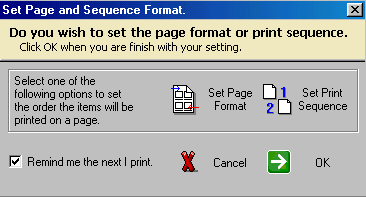
CatalogVX gives you the ability to set the print sequence of your items when creating hard copy catalogs or documents. To print your catalog, select the printer icon from the menu bar (see picture above) then CatalogVX will alert you to arrange your pages or select a print sequence (see picture below). The Page Arrangement feature is useful when you want to print a hard copy catalog of all your items. The Page Sequence feature is useful when printing items in a particular sequence. The Page Sequence can also be used on the catalog CDs. When your buyers print the catalog from the CD, the Page Sequence setting will be utilized.
See also: Printing with page arrangements