
Single Page Printing
It is possible to print/preview a single page in order to print or create a PDF for email.
To Print a Single Page do the following:
1. Select the product from the Item Tree by highlighting the item with your mouse.
Make sure that the product is displayed on the screen.
2. From the Printing menu select the [ Print the Current Page ] option.
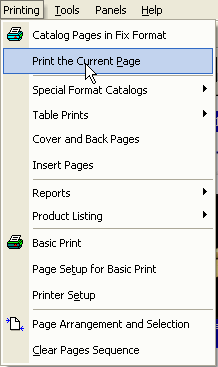
Selecting the menu option will open the Print Preview Dialog. From the Print Preview Dialog can print or create a PDF page
that you can email to your buyers. Single Page Printing will print as much information possible including Bullet Points and Tables.
See Also: Print Management