
Working with Categories
Predefine Categories
CatalogVX contains nine predefine categories that can be used as part of an item list.
These categories are added by clicking on one of the nine icons in the catagories dialog.
You may use any of these predefine categories to saparate your catalog by sections.
Defining your own categories
To define your catalog categories from within the Catalog Wizard, select the Custom Folders button.

To define your catalog categories without using the Catalog Wizard, click the Edit Category button from the tool bar.

Once in the Edit Category dialog, click on the Add Category button to begin.
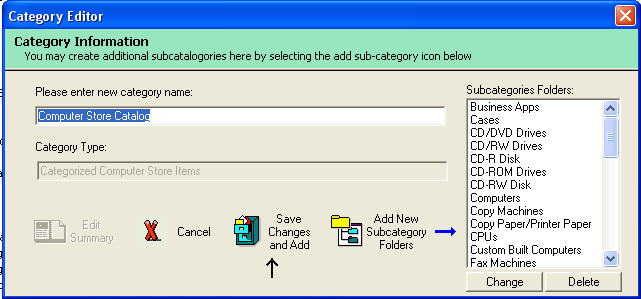
To start defining your category, enter the name of the category in the field. This name will identify your category to the system.
You must also subcategories by clicking on the Add New Subcategory Folder buttton.