
Print Management using Print Preview
The software gives you the ability to quickly print your catalogs or create PDF files directly from within the software.
From the print preview screen you can add your company logo to the top of each page, view your catalog pages as Thumbnails, and create a PDF file of all your pages. Click on the appropriate button on top of the dialog.
To perform any of the above actions with your catalog, simply Left-Click on the appropriate buttons on the top of the dialog.
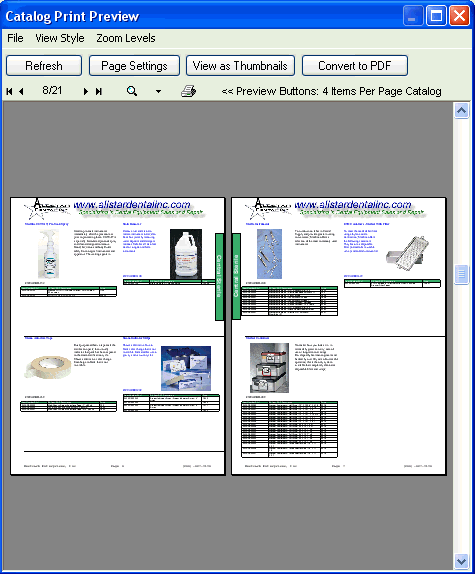
In thumbnail mode click on the page you wish to view in order to zoom into that page.
Standard Page Format and Fields:
1 Item Per Page example: The diagram below is used as an example of a standard page. Other print formats contains similar fields with less space for the description and table areas.
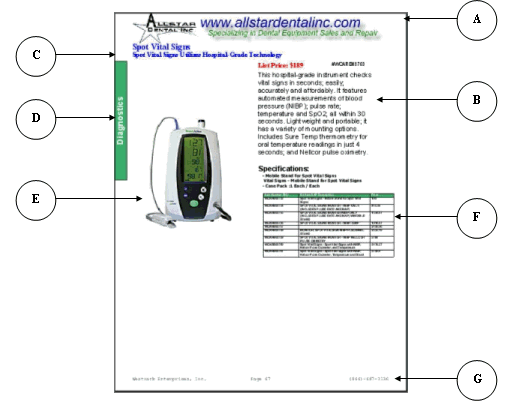
A) Optional Header
B) Price, Item Number and Description area
C) Header and Sub-header area
D) Optional Category Label
E) Image Area (automatically resize to fit the page)
F) Table Area (available in Pro version and above)
G) Page Footer (company name and phone number plus page number )