
Page Settings
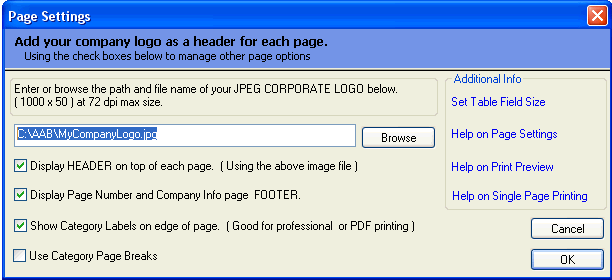
Many You may want to change the default setup of your catalog's page by adding your company logo, removing page numbers, and disabling labels on the edge of the pages.
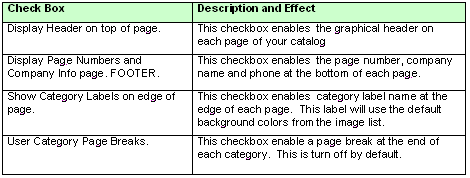
You can change the basic format of the pages by using the page setting by clicking on the appropriate check box. *You can also add your company logo or a graphical page header to the top of most pages using a 1000 x 50 jpg or gif image.
(See image and table for description of each option below)
*Note: You company logo or page header will not appear on top of Table of Context, Index, or Cover Pages.