EU Value Added Tax (VAT)
Adding EU Value Added Tax and Regional Taxes
To add a VAT calculation as part of the order,
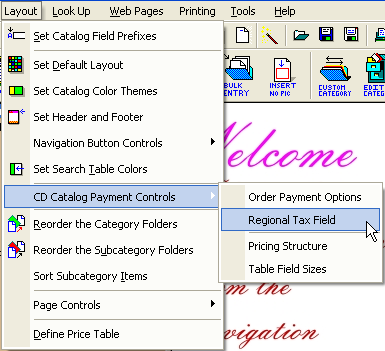
1. Click CD Catalog Payment Control | Regional Tax Field under the Layout menu.
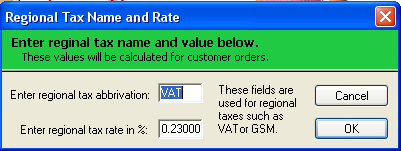
2. At the Regional Tax Name and Rate dialog you can change the "VAT" to reflex the name of a similar tax.
Basically this abbreviated three character name and rate will be used in the order form in the CD catalog. You can also use the Catalog Wizard to enter the tax rate however, to change the abbreviation you must use the above procedure.