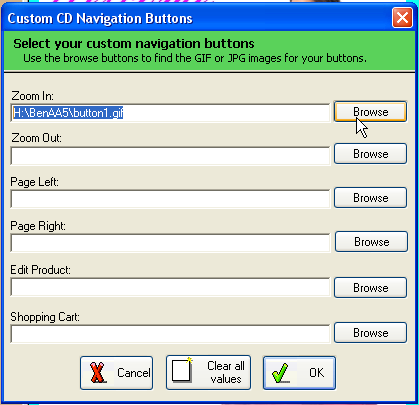
Custom Navigation Buttons
Add your customized navigation buttons.
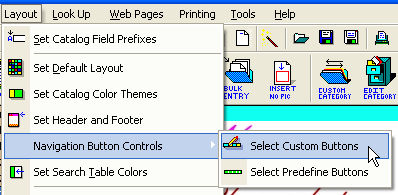
1. From the Layout menu select Navigation Button Control | Select Custom Buttons.
2. From the Navigation Buttons dialog, you click the Browse button to indicate all your navigation buttons.
You may use GIF or JPG images.
Note: You will need to use another graphic program to create/edit your buttons before using these features.