
Hiding the Price Information.
To hide the price from your final catalog.
1) Select Field Modification from the View Menu.
2) Click on the Hide Price Check box in the Field Modification Dialog.
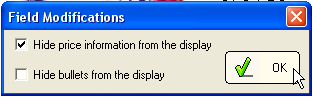
This change will take effect on your CD, Web, and Printed catalogs.
Note:
You may also use the Field Modification to hide the bullet points from a display.