
HTML Page Generation from Keyword indexes
(For Professional Edition and Above Only)
HTML Page Generation from Keyword indexes.
To generation HTML pages from your catalog Keyword indexes, perform the following steps:
1) Make sure your have products that was entered with keywords.
2) Use the Index icon to verify that you are able to display catalog thumbnails pictures based on the keywords.
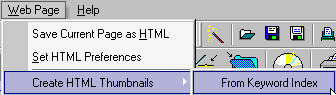
3) From the Web Page Menu, use the [Create HTML Thumbnails | From Keyword Index] feature to generate the HTML pages. You will need to wait a while depending on the size of your catalog before continuing. The program will return control back to you when it has finished with the generation of the pages.
4) Verify your HTML page generation by going into your output directory and double click on one of the HTML files that was generated by the program.
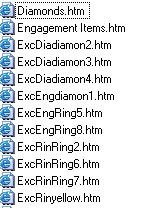
After the HTML pages are created in the directory, it is recommended review some of the pages before you upload the files within the directory to your web site. The files that are generated will be in standard HTML format. You may use any web authoring tool to fully customize any of the HTML pages to suit your needs.