
Manual Delete
Using the Manual Delete Option
This feature provide direct access to the internal CatalogVX self contain database.
It is used to delete items that can not be deleted with the other functions of the program.
To use the Manual Delete Option perform the following steps:
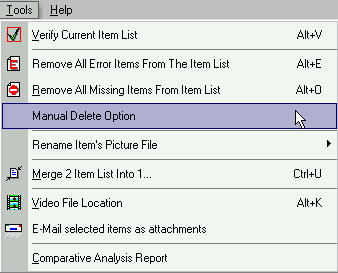
1) From the Tools Menu, select the Manual Delete Option sub-menu (see picture below).
2) From the dialog box, highlight the item that you want to delete from the self contain database.
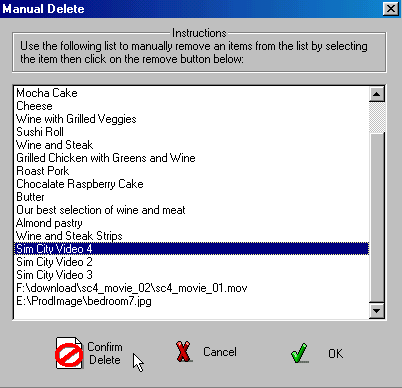
3) Click the Confirm Delete button to delete the item. Click on OK button for final confirmation. The item is not deleted until the OK button has been click. Once the item is deleted, the item list will refresh to reflect the internal representation of the data.
Note: The Manual Delete Option should only be use as a last resort for deleting an item.