
Catalog CD Creation
When a Catalog CD is being created, CatalogVX creates a new copy of the Item list to reflex the files that will be copied on the CD. During the creation process, the file references (items) are used to copy the actual files along with the new Item list. The final CD will contain the new Item list that incorporates new file references.
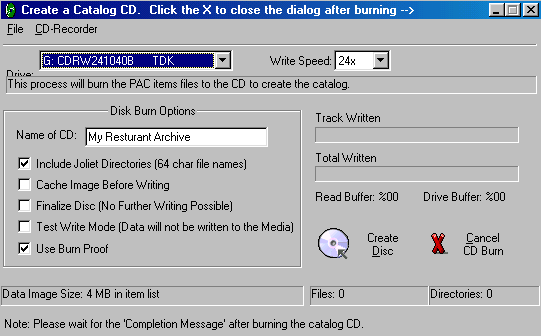
Once you begin to burn the catalog CD, remember to wait for the "Catalog CD Complete" message dialog
before you do anything else with the software. In most cases, the CD-ROM drive will eject the catalog CD after the process is complete. If you quit the program, while the catalog creation is in progress, you may damage the CD.
Testing the CD catalog.
After the catalog creation process, you may want to test the CD catalog. The best way to do this is to exit the Personal Archive Creator and insert the catalog CD back into the CD writer. The catalog's auto-launch process should start the catalog CD automatically.